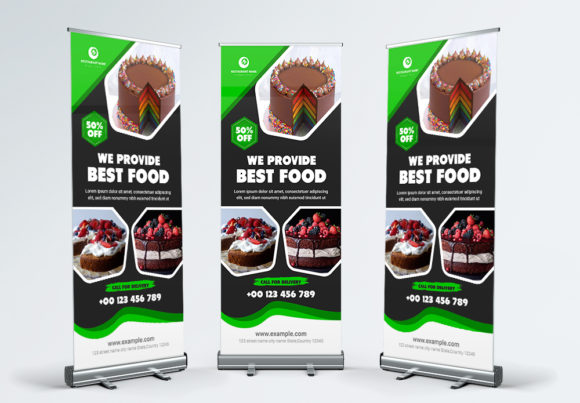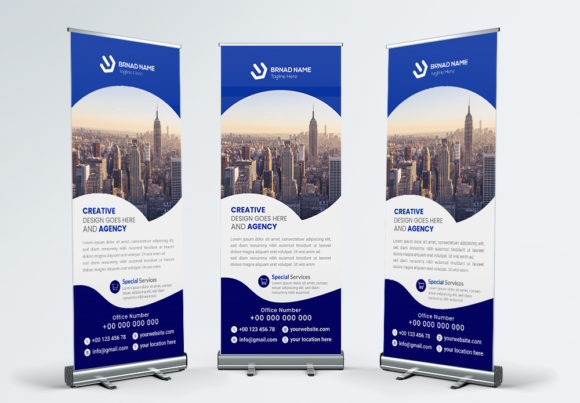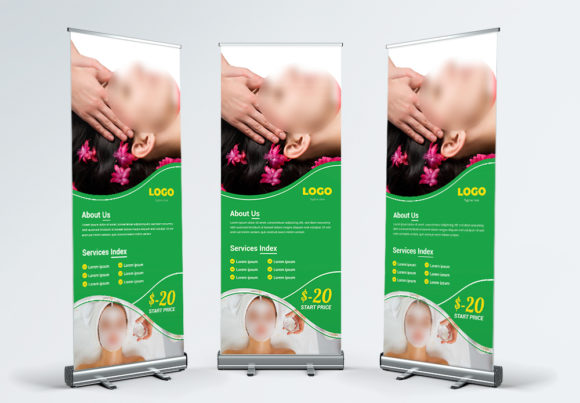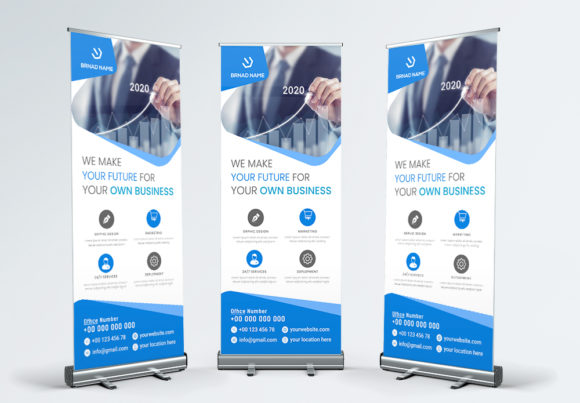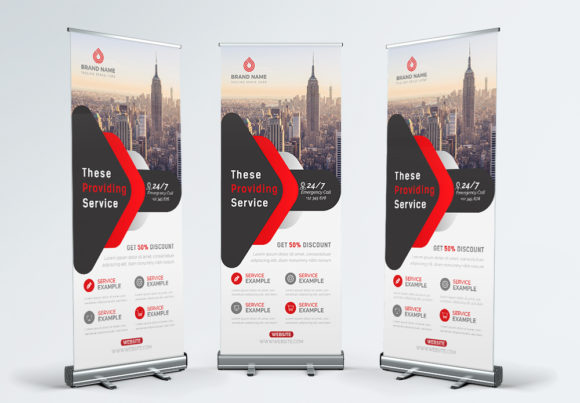
Professional Roll Up Banner Template for Business Promotion
When you're setting up for a trade show, conference, or local business event, your visual presence matters before you even say a word. A well-designed roll up banner stands at the entrance to your booth or beside your table, silently communicating who you are and what you offer. The Business Roll Up Banner template was built with exactly this scenario in mind. It's a professional, fresh, and clean design asset that helps entrepreneurs, marketers, and small business owners promote their services without hiring a designer or spending hours wrestling with complicated software.
What Makes This Roll Up Banner Template Stand Out
At its core, this template is a 30×70 inch print-ready file designed in Adobe Illustrator format. The dimensions follow the standard roll up banner size that most print shops accept without modification, which means you won't run into sizing headaches when it's time to send your file to production. The template uses CMYK color mode at 300dpi resolution, so what you see on screen translates accurately to the final printed product. There's a 0.25-inch bleed built in, giving your printer the margin needed for clean, edge-to-edge output.
What really sets this template apart is its organized layered structure. Every element lives on its own layer, clearly labeled and easy to locate. Text sits on separate layers from background shapes and decorative elements. This means you can swap out colors, adjust positioning, and replace content without accidentally moving something you didn't intend to touch. For anyone who has spent time untangling a messy design file, this kind of organization saves real hours.
Designed for Real People, Not Just Designers
One of the most practical aspects of this Business Roll Up Banner template is how it handles typography. The file uses Google Fonts, which are free to download and install. You won't need to purchase expensive typefaces just to customize your banner. The help file included with your download walks you through the process step by step. Press "T" to activate the text tool, click on the text you want to change, and type your own message. It sounds simple because it genuinely is. The font choices in the template follow modern typography principles, balancing readability with visual appeal. The hierarchy between headlines, subheadings, and body text is already established, so your content naturally guides the viewer's eye from top to bottom.
This matters more than people realize. A roll up banner has about three seconds to capture attention at a busy event. If your text hierarchy is unclear, or if the typeface you chose doesn't communicate the right personality, you lose that window. The template's clean sans serif approach keeps things legible from a distance while maintaining a contemporary, professional tone. Whether you're running a tech startup, a consulting firm, a creative agency, or a local retail shop, the visual personality works across industries without feeling generic.
Where This Template Fits Best
Think about every situation where you need a physical presence that speaks for your brand. Trade shows and exhibitions are the obvious ones, but consider also corporate presentations, retail store entrances, product launches, community events, job fairs, and even office lobbies. A roll up banner serves as a portable brand identity piece. You roll it up, carry it in its case, and set it up in under a minute. No tools, no assembly frustration.
The Business Roll Up Banner template works particularly well for businesses that attend multiple events throughout the year. Because the file is fully editable, you can create different versions for different occasions. Swap out the headline for a seasonal promotion. Change the color palette to match a specific campaign. Update your contact information or add a QR code. The layered structure makes these adjustments straightforward, and since everything uses standard design techniques, you're not locked into one look forever.
Small business owners who handle their own marketing materials will find this especially valuable. You don't need to understand advanced design theory to make effective changes. The template already incorporates solid design principles—appropriate contrast, balanced spacing, and logical visual flow. Your job is simply to make it yours with your own content, images, and brand colors.
Customization Without the Complexity
The included AI file format means you need Adobe Illustrator to open and edit the template. Once you're in, the experience is intuitive. Color palettes are easy to adjust through Illustrator's swatch panel. Objects can be repositioned, resized, or replaced entirely. If you have your own product photos or team images, you can drop them into the designated areas. The template doesn't include the preview photos, which actually works in your favor—your banner ends up featuring your actual business rather than stock imagery that dozens of other companies might also use.
For those thinking about font pairing, the template's existing type selections give you a strong foundation. If you want to experiment with alternatives, look for typefaces that share similar proportions and x-heights. A slightly bolder headline font paired with a lighter body weight creates visual interest without sacrificing cohesion. The key is maintaining that professional, clean aesthetic that makes roll up banners effective communication tools rather than visual clutter.
Practical Considerations Before You Print
Before sending your customized file to a print shop, double-check a few things. Confirm that all text is outlined or that the fonts are properly embedded. Verify your images are high resolution at the actual print size. Review the bleed area to ensure no critical content sits too close to the trim edge. Most print shops provide specific file requirements, and this template's 30×70 inch format with 0.25-inch bleed aligns with what most vendors expect.
The print-ready CMYK setup means you won't encounter color conversion surprises at the printer. Colors that look vibrant on your RGB screen will reproduce accurately in the CMYK print process because the template was designed with this in mind from the start. This attention to production details reflects the kind of professional design thinking that separates a polished brand presence from an amateurish one.
Investing in a quality roll up banner template like this one pays for itself quickly. Instead of commissioning a custom design for each event or settling for generic online builders, you have a reusable asset that adapts to your evolving business needs. The clean, professional aesthetic builds brand consistency every time you set it up, reinforcing recognition and trust with your audience across every appearance.